How it works...
FOR DESIGNERS:
Simply register as a designer.
Select your craft and specialties - these will show as tags on your profile.
Add your personal info.
Add your profile picture and banner.
Upload your best work into your photo album.
When you get hired, you will be notified via email.
Your wallet will show your money as pending.
Once the job is complete and the publisher has received your work, they will release the payment.
We recommend all work is sent as Recorded Delivery. This ensures items are delivered safely and
securely and provides proof of delivery, in case of any disputes.
Once payment is released, your funds will be available to you in your wallet.
*Please note: Craftfolia takes a small 7% service fee.

Each profile comes equipped with:
Photo albums.
Bio
Private messaging service
"Hire Me" form
Secure wallet
And access to forums and news feed. Jobs Board.
plus more.
FOR PUBLISHERS:
Register as a Publisher and add relevant information.
FINDING A DESIGNER
Select Find a Designer in the header menu.
All designer profile cards are displayed on this page.
A search bar is situated above these cards for a more detailed search.
Simply type what you are looking for, i.e. Crochet, Garment, Jumpers, or use our filters. All relevant designers will be displayed.
Once you find the right designer for you, private message them.
If you decide you want to move forward with that designer - select their [HIRE ME] tab...
HIRE ME TAB FUNCTION
Each Designer has a [HIRE ME] tab located on their Profile Bar.
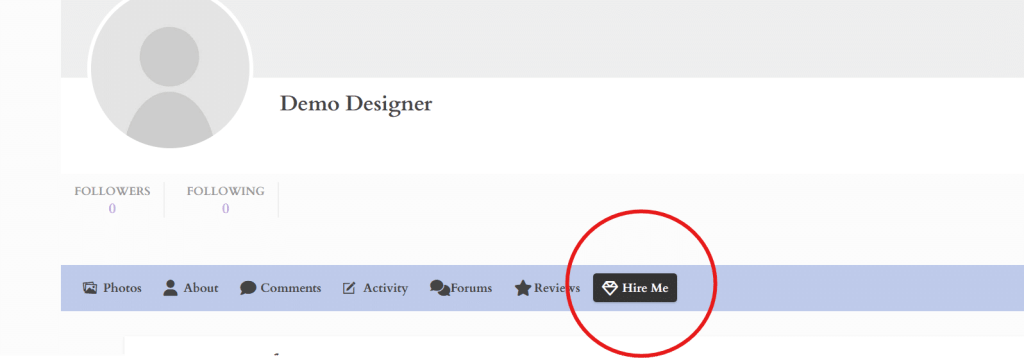

Once paid, the money is held by Craftfolia's Escrow System.
An invoice is generated and email confirmations are sent.
RELEASE FUNDS / WORK COMPLETE (IMPORTANT)
Once the designer has completed work to the standard agreed upon.
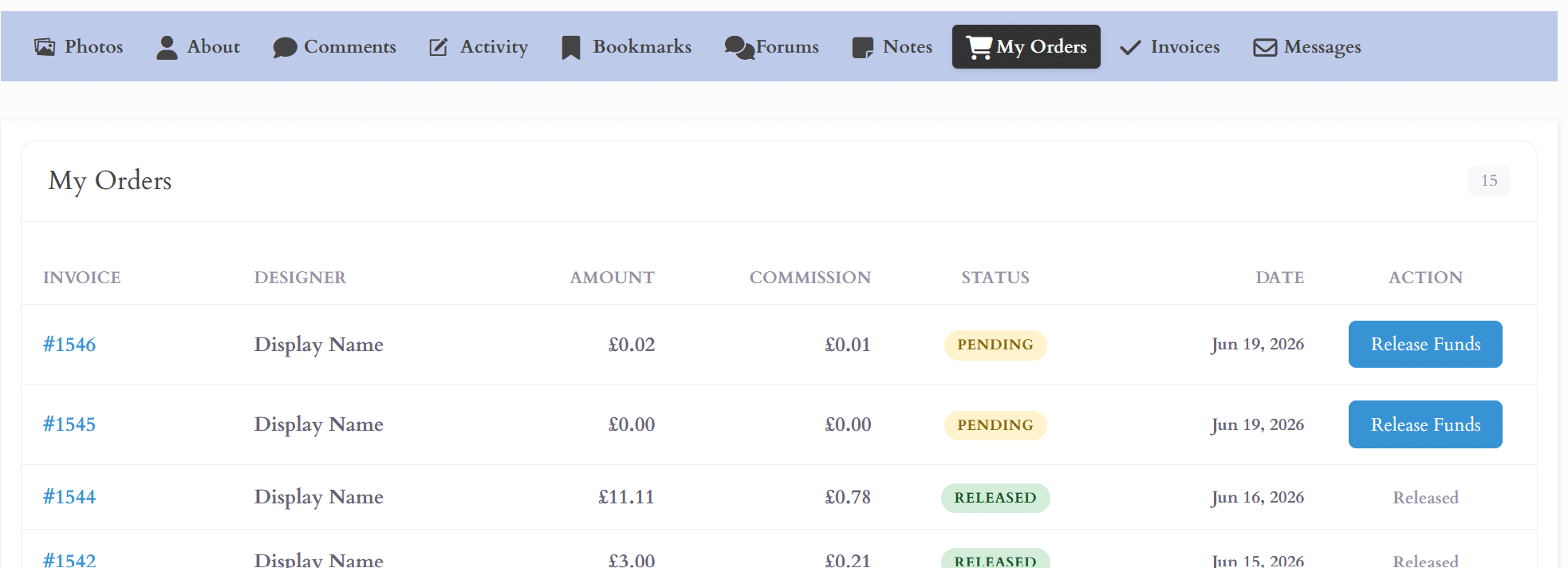
Head over to your [MY ORDERS] tab and press [RELEASE FUNDS]. This tells Craftfolia to release payments to the designer, and their wallet is credited (minus our 7% commission fee).
INVOICES
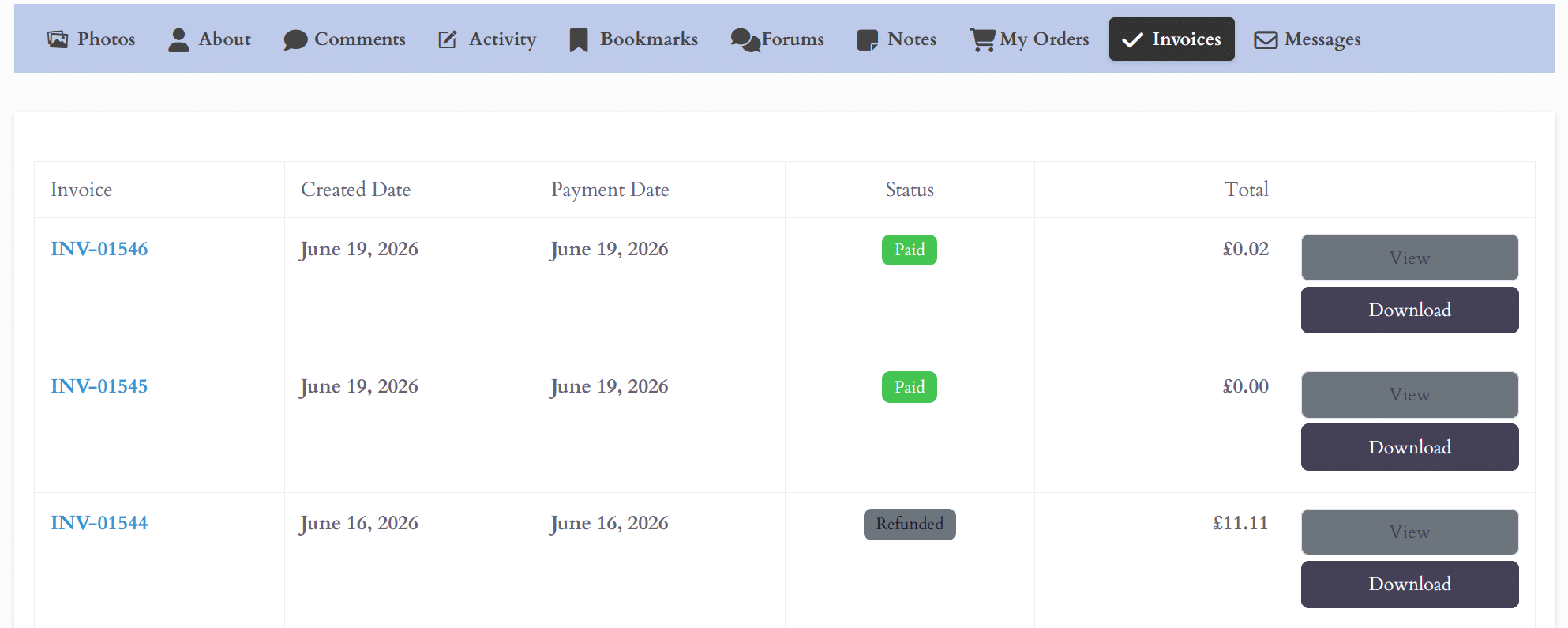
All invoices are available to view in the [INVOICES] tab or at [MY INVOICES] in the header menu.
A history of invoices is available to view or download.
All invoices are private and only viewable to you.
NEWS FEED
Publishers have exclusive access to post on Craftfolia's news feed.
Select news feed in the header menu, and simply create a post or upload an image. News posts are viewable to all our members.
You can use our news feed to post Calls to Action / Submissions (use #JOB, and the post will also appear on our dedicated Jobs Board).
You can use our News feed to create an Ad to promote your latest work or release for no cost to you, or even ask our members for feedback.
The news feed is free for Publishers to use as they wish.

MESSAGING AND PRIVACY
Hiding Message Button
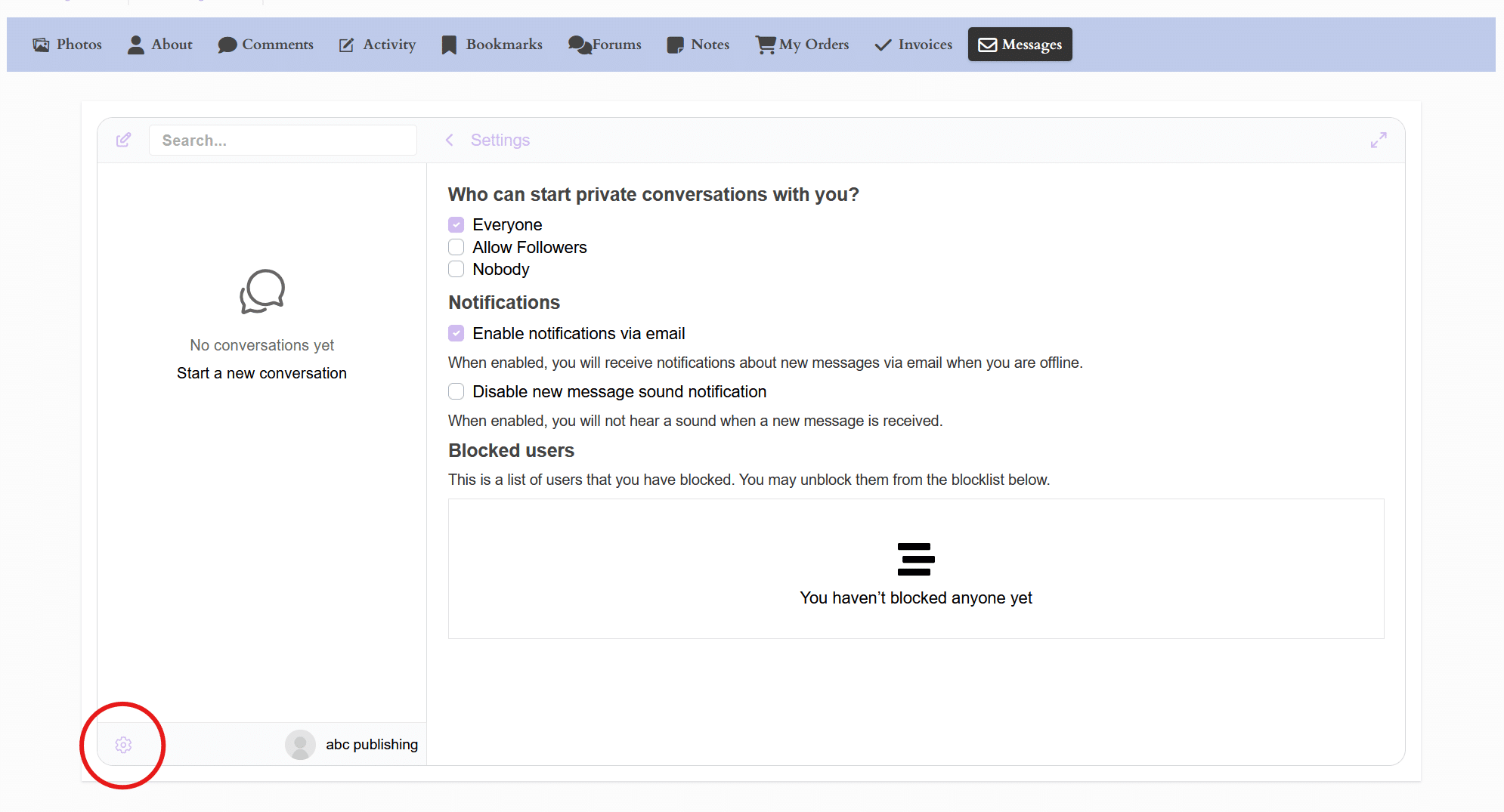
We understand that your time and privacy are valuable. The [PRIVATE MESSAGE] button can be set to private.
In private mode, your message button is hidden, but you can still send and receive messages that you have initiated.
Select Message Tab — Gear Icon — Who can start private conversation — Nobody.
Or you can leave your message button viewable to allow designers to come to you.
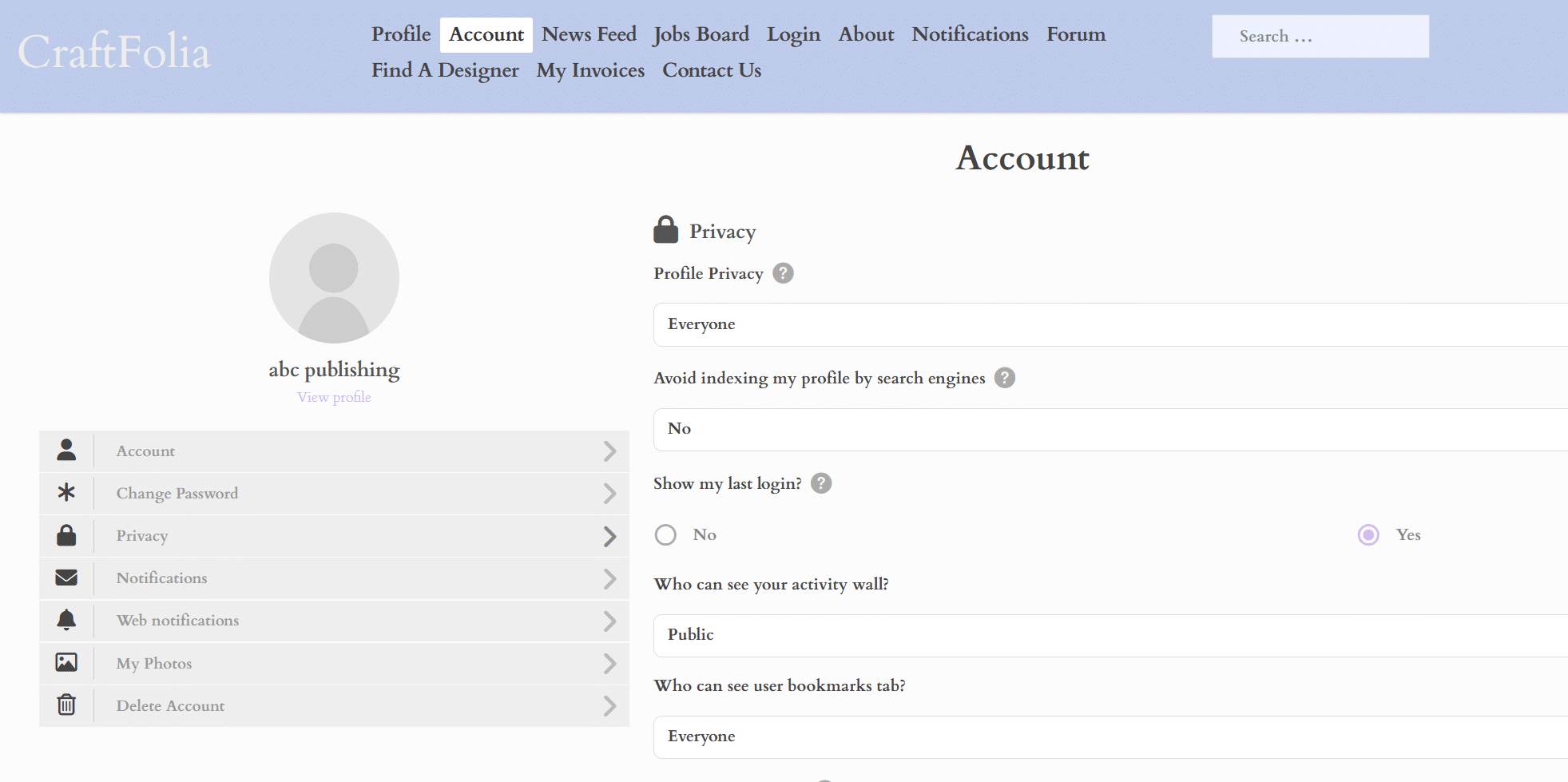
ACCOUNT PRIVACY
You can set your profile to private or allow only designers you follow to view your account.
Gear Icon — My Account — Privacy — Who can see your Public Profile.
Other privacy settings can be found here too.
NOTES
Publishers have a [NOTES] tab to help organize projects or to jot down any information you need.
Notes can be set to private or public.
FEATURES
All Publisher accounts feature:
Private messaging
Bookmarks
Photo album
Invoices
Following
Dedicated search engine
My Orders
Notes
Forum
Bio + more
Joining and creating a profile is completely free Craftfolia only takes a small 7% service fee from the agreed project price when a job is successfully completed and funds are released.
To protect our creative community from spam, scammers, and malicious bots, Craftfolia may implement a small monthly fee or paywall in the future. This proactive measure ensures that every Designer and Publisher on our platform remains a real, verified, and serious collaborator.
When a Publisher hires a Designer, the payment is immediately processed but held securely by STRIPE. The Designer can work safely knowing the funds are secured, and the Publisher retains peace of mind because the funds are only released once the work is delivered to the agreed standard.
Craftfolia completely eliminates the risk of getting ghosted. Because funds are secured in escrow before work begins, a Publisher cannot simply run away with your time. If a dispute arises or communication breaks down, our support team steps in to conduct a manual review of project details, messaging logs, and proof of delivery to resolve the issue and manually release the payment.
No. Craftfolia is a premium marketplace dedicated to showcasing authentic, human craftsmanship and professional expertise. All portfolio items, photo albums, and profile banners must feature your own genuine work.
Don't worry Craftfolia is a professional marketplace, not a popularity contest or a social media race. Publishers often bookmark profiles or follow you quietly simply to keep you in mind for upcoming projects.
Also there are a smaller amount of Publishers to Designers, so low following numbers are to be expected.
Also there are a smaller amount of Publishers to Designers, so low following numbers are to be expected.
All your transactions are private and fully automated. Publishers can access and download their complete invoice history via the [INVOICES] tab on their profile or by clicking [MY INVOICES] in the main header menu.
Because all invoices are instantly generated by our automated financial engine, please ensure your account billing information and profile settings are correct before initiating a job via the [HIRE ME] tab.
This is a basic text element.
This is a basic text element.